
Licenser för PC-verktyg
PC-verktyg rensar, snabbar upp och organiserar datorer och telefoner. I den här kategorin hittar du CCleaner, AVG TuneUp, verktyg från EaseUS och AOMEI för partitioner och migrering, program från Ashampoo och AnyViewer för fjärrskrivbord.
- 2
- 3
- 4
Buy PC Utilities Software Licenses at SuperKeyStore
PC utilities are the tools that keep a computer tidy, fast and under control. This category covers cleaners and tune-up suites, partition managers, PC migration tools, remote desktop software, screen capture, file compression and disc burning. It serves home users with a slow laptop as well as IT staff who maintain many machines.
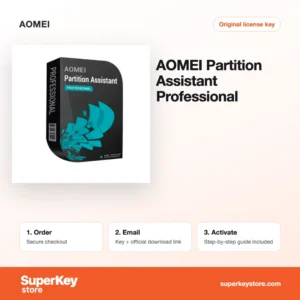
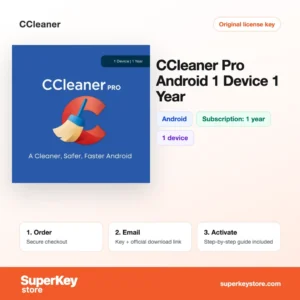
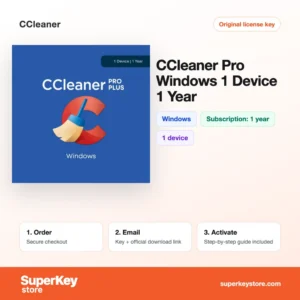
Typical picks are CCleaner Pro for Windows (1 Device, 1 Year) for cleaning one PC, AOMEI Partition Assistant Professional for disk management and AnyViewer Professional for remote access. Each order includes a license key and a link to the developer's official download, sent by email, usually within minutes.
Why buy a PC utilities license?
Paid utility software saves time and prevents common computer problems:
- Free up space and speed up start-up: CCleaner and AVG TuneUp remove junk files, manage start-up programs and update outdated apps.
- Change disks without reinstalling: Partition tools from EaseUS and AOMEI resize partitions, move the system to an SSD and convert MBR to GPT for Windows 11.
- Move to a new computer: EaseUS Todo PCTrans copies installed programs, files and accounts from one Windows PC to another.
- Help others remotely: AnyViewer connects to another computer over the internet for support or home-office access.
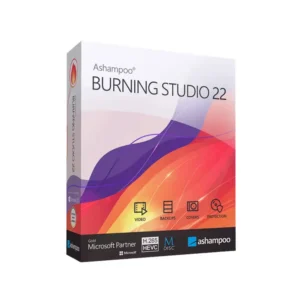
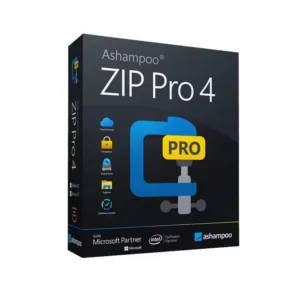
- Everyday tasks: Snagit captures and annotates screenshots, Ashampoo ZIP Pro 4 handles archives, and Ashampoo Burning Studio 22 writes data, music and video discs.
What are the main features of PC utilities?
Utilities in this category each handle a specific job. The most useful features are:
1. System cleaning
CCleaner removes temporary files, browser data and leftover files. Users regain disk space and a tidier system.
2. Performance tuning
AVG TuneUp puts unused background programs to sleep and updates common apps. Older laptops in particular start faster.
3. Partition management
EaseUS Partition Master and AOMEI Partition Assistant resize, merge and convert partitions. Users fix full C: drives without reinstalling Windows.
4. Remote desktop
AnyViewer connects to computers over the internet with encrypted sessions. IT support teams and home workers reach their computers from anywhere.
5. Screen capture and editing
Snagit captures screens, scrolling pages and videos and adds arrows and text. Trainers and support staff create clear guides.
6. Phone data tools
EaseUS MobiMover and MobiUnlock transfer iPhone data and remove screen locks. Users switching phones save time.
Business buyers should look at editions labeled Server, Unlimited, Enterprise, Business or Technician. These cover Windows Server, many computers or work done for clients, which home editions do not allow. Home users can usually save by choosing the Professional or single-device edition.
Which PC utilities product is right for you?
Choose by task first: a cleaner for a slow PC, a partition manager for disk changes, a migration tool for a new computer, and a remote tool for support.
| Produkt | Best for | Platform | License/term | Enheter |
|---|---|---|---|---|
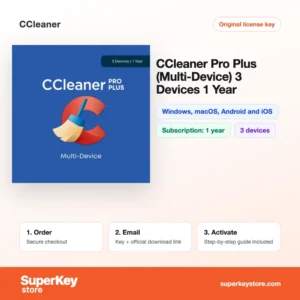
| CCleaner Pro Plus (3 Devices, 1 Year) | Cleaning several computers and phones | Windows, macOS, Android, iOS | 1 year | 3 |
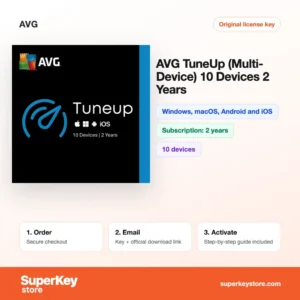
| AVG TuneUp (10 Devices, 2 Years) | Households with many devices | Windows, macOS, Android, iOS | 2 years | 10 |
| EaseUS Partition Master Professional | Partition changes on a home PC | Windows | See product page | 1 PC |
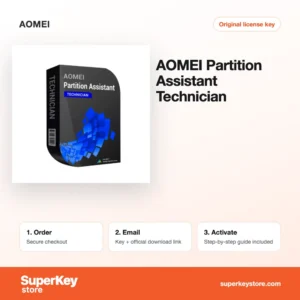
| AOMEI Partition Assistant Technician | Technicians serving client PCs | Windows, Windows Server | See product page | Technician use |
| AnyViewer Enterprise | Teams providing remote support | Windows | See product page | Multiple users |
| TechSmith Snagit 2026 Corporate (1 year) | Screenshots and screen videos at work | Windows, macOS | Yearly | 1-9 users |
What are the system requirements for PC utilities?
Most utilities here run on any current Windows PC; Mac and mobile apps have their own requirements, so check each product's System Requirements tab.
| Requirement | Minimum |
|---|---|
| Operativsystem | Windows 10 or 11; macOS, Android and iOS for multi-platform products |
| Processor | 1 GHz x86 or x64 processor |
| Minne (RAM) | 1-2 GB |
| Diskutrymme | Several hundred MB to 1 GB per program |
| Other | Internet connection for activation and updates |
Back up important files before any partition or migration task. These tools are designed to keep data intact, but power loss during an operation can still cause problems.
How do you download and activate PC utilities?
- Order: Put the utility in your cart and complete checkout.
- Email: The license key and download link reach you by email, usually within minutes; a security check can take up to 24 hours.
- Download: Install the program from the developer's official website, for example CCleaner, AOMEI or EaseUS.
- Register: Open the program, choose register or activate, and paste the key.
What happens to my PC utilities license if I reinstall or format my computer?
It depends on the product. Key-based tools such as EaseUS, AOMEI and Ashampoo are activated again by entering the same key, and subscription tools like CCleaner and AVG TuneUp are restored by entering the key or signing in to the account.
Phone tools such as MobiMover and file tools like Ashampoo ZIP Pro 4 follow the same rule: free the license on the old computer, then register it on the new one. Note your keys before replacing a computer, for example with EaseUS Key Finder.
Can I move a PC utilities license to a new PC or Mac?
Yes, within the device limit of your license. Uninstall or deactivate the program on the old computer, then activate it on the new one; multi-device plans like CCleaner Pro Plus cover both PC and Mac, while many partition tools are Windows-only.
What if my PC Utilities key does not work?
Email our support team and include your order number and a screenshot of the registration error. A replacement key or a refund follows as described in the Återbetalningspolicy.
Frequently asked questions about PC utilities
Are PC cleaners still useful on Windows 11?
Yes, for many users. Windows has basic cleanup tools, but programs like CCleaner add browser cleaning, driver and software updates and start-up management in one place.
What does a Technician edition include?
Technician editions allow use on client computers as a paid service. Professional editions are limited to your own computers.
Can I move Windows to a new SSD without reinstalling?
Yes. Partition Assistant and Partition Master can migrate the operating system to an SSD so the PC boots from the new drive.
Do these utilities work on Mac?
Some do. CCleaner Pro Plus, AVG TuneUp and Snagit support macOS, and Moonlock is a Mac-only security tool, while partition and migration tools here are mainly for Windows.
Is a subscription or a lifetime license better?
Subscriptions include all updates during the term. Lifetime licenses, where offered, cost more once but avoid renewals.
What is the difference between CCleaner Pro and Pro Plus?
Pro covers one Windows PC. Pro Plus covers several devices and adds tools such as Recuva and Speccy.
Do I need a partition tool for Windows 11?
Only if you must convert a disk from MBR to GPT or resize partitions; otherwise Windows Disk Management may be enough.
Is AnyViewer secure?
AnyViewer uses encrypted connections and requires authorization on the remote computer.
What is Moonlock?
Moonlock is a Mac security app from MacPaw that scans for malware; this product covers 1 Mac for 1 year.
More software categories
Protect your PC with Antiviruslicenser, or upgrade the system with Licenser för Windows och Licenser för Microsoft Office.
Vad ingår när du köper licenser för PC-verktyg hos SuperKeyStore?
Du får ett e-postmeddelande med din licensnyckel, den officiella nedladdningslänken och en aktiveringsguide steg för steg. Det här ingår i varje beställning:
- Licensnyckel: produktnyckeln för den utgåva, giltighetstid och det antal enheter som anges på produktsidan.
- Officiell nedladdning: en länk till installationsprogrammet på utvecklarens egen webbplats.
- Aktiveringsguide: stegen för att installera och aktivera programmet, som också visas på fliken Nedladdning & aktivering.
- Orderhistorik: nyckeln finns kvar i din orderbekräftelse och under Mitt konto.
- E-postsupport: hjälp med installation eller aktivering från vårt supportteam.
Varför köpa programvarulicenser hos SuperKeyStore?
SuperKeyStore säljer digitala licensnycklar med leverans via e-post, säker betalning och tydliga regler för nycklar som inte fungerar. Det här är de främsta skälen till att kunder handlar här:
- Digital leverans: ingen frakt; nyckeln kommer vanligtvis via e-post inom några minuter efter betalningen, och vissa beställningar går igenom en säkerhetskontroll som kan ta upp till 24 timmar.
- Tydlig produktinformation: varje produktsida anger utgåva, plattform, licenstid och antal enheter.
- Ersättning eller återbetalning: om en nyckel inte fungerar får du en fungerande nyckel eller pengarna tillbaka, enligt vår Återbetalningspolicy.
- Säker betalning: betalningar hanteras av betaltjänstleverantören; SuperKeyStore sparar inte fullständiga kortuppgifter.
Andra programvarulicenser i SuperKeyStores sortiment
SuperKeyStore säljer också licenser i dessa kategorier:
- Licenser för Windows: Licenser för Windows 11 · Licenser för Windows 10
- Licenser för Microsoft Office: Licenser för Office 2024 · Licenser för Microsoft Office för Mac · Licenser för Microsoft Word, Excel & Office-appar · Licenser för Microsoft Project · Licenser för Microsoft Visio
- Licenser för Microsoft 365
- Antiviruslicenser: Antiviruslicenser från Norton · Antiviruslicenser från McAfee · Antiviruslicenser från Kaspersky · Antiviruslicenser från Bitdefender · Antiviruslicenser från ESET · Antiviruslicenser från Avast · Antiviruslicenser från AVG · Antiviruslicenser från Panda · Licenser för VPN · Licenser för företagssäkerhet
- Windows Server-licenser & CAL: Windows Server CAL- & RDS CAL-licenser · Licenser för Microsoft SQL Server · Licenser för Exchange & SharePoint Server
- Licenser för CAD & 3D-design: Licenser för Autodesk · Licenser för Graphisoft Archicad · Licenser för SolidWORKS
- Licenser för grafisk design & foto: Licenser för Adobe · Licenser för CorelDRAW
- Licenser för PDF- & Office-verktyg
- Licenser för backup & dataåterställning
- Licenser för video- & musikprogram
- Licenser för virtualiseringsprogram
- Licenser för Office- & Windows-paket