
Licenser för Microsoft Word, Excel & Office-appar
Licenser för enskilda Office-appar låter dig köpa bara det program du behöver, till exempel Word eller Excel, i stället för hela Office-paketet. Versioner finns för Windows och Mac.
- 2
- 3
- 4
Buy Microsoft Word, Excel & Office App Licenses at SuperKeyStore
Not everyone needs the full Office suite. This category sells individual Microsoft apps, including Word, Excel, PowerPoint, Outlook, Access, Publisher and OneNote, as one-time purchases. It suits freelancers who only write, accountants who live in spreadsheets, and small offices that need one database tool on one PC.
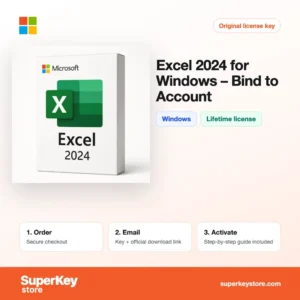
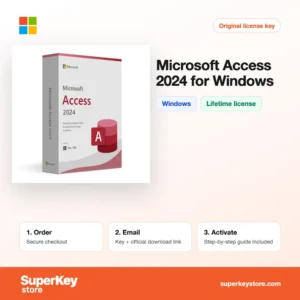
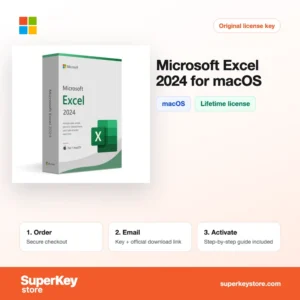
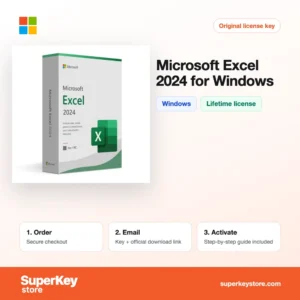
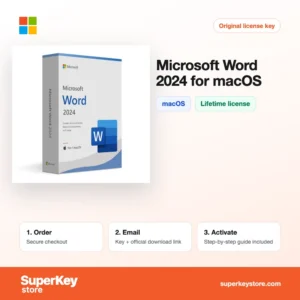
Frequently ordered titles are Microsoft Excel 2024 for Windows, Microsoft Word 2024 for Mac och Microsoft Access 2024 for Windows. After checkout we email you a product key and a download link, usually within minutes.
Why buy a single Office app license?
Buying one app instead of a suite or subscription has clear advantages:
- Pay only for what you use: A single Excel or Word license costs less than a suite that includes programs you never open.
- No subscription: The apps are perpetual licenses, so they keep working without a monthly or yearly payment.
- Offline work: Desktop Word, Excel and Access run fully offline, unlike the free web versions.
- Full desktop features: Excel macros, Power Query, Word mail merge and Access forms and reports are only complete in the desktop apps.
- Fill a gap in your suite: Office Home does not include Access, Publisher or Outlook on Windows, so a single app adds what is missing.
What are the main features of the single Office apps?
Each app in this category brings its own core strengths:
1. Word for documents
Word handles letters, reports, theses and contracts with styles, tables of contents, track changes and mail merge. Writers, students and legal staff rely on it for long documents that others must review.
2. Excel for numbers
Excel offers formulas, PivotTables, charts, Power Query and macros, and the 2024 version includes dynamic arrays and functions such as XLOOKUP. Accountants, analysts and small business owners use it to plan and report.
3. PowerPoint for presentations
PowerPoint builds slide decks with Designer suggestions, transitions, video and presenter view. Teachers, sales staff and managers present ideas clearly.
4. Outlook for email and calendar
Outlook combines email, calendar, contacts and tasks for several accounts in one place. Professionals manage meetings and mail from Exchange, Outlook.com, Gmail or IMAP.
5. Access and Publisher for special tasks
Access creates relational databases with forms, queries and reports, and Publisher designs flyers, brochures and newsletters. Small businesses and clubs get these tools without buying a larger suite.
Which Office app is right for you?
Choose the app you need in the 2024 version for your operating system; take 2021 or older only to match an existing Office installation. Access and Publisher exist only for Windows, while Mac buyers have their own Word, Excel, PowerPoint, Outlook and OneNote editions.
| Produkt | Best for | Platform | License/term |
|---|---|---|---|
| Microsoft Excel 2024 for Windows | Budgets, analysis and reports | Windows | One-time purchase |
| Microsoft Word 2024 for Windows | Letters, contracts and long documents | Windows | One-time purchase |
| Excel 2024 for Windows (Bind to Account) | Reinstalling via your Microsoft account | Windows | One-time purchase, account-bound |
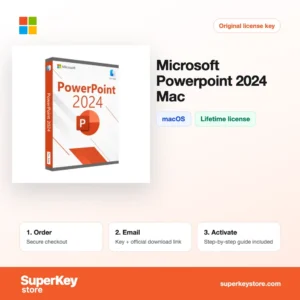
| Microsoft PowerPoint 2024 for Mac | Presentations on a Mac | macOS | One-time purchase |
| Microsoft Outlook 2024 for Windows | Email, calendar and contacts | Windows | One-time purchase |
| Microsoft Publisher 2021 | Flyers, newsletters and print layouts | Windows | One-time purchase |
What are the system requirements for the single Office apps?
The 2021 and 2024 apps need Windows 10 or 11, or one of the three most recent macOS versions; check each product's System Requirements tab for 2016 and 2019 versions.
| Komponent | Minimum |
|---|---|
| Operativsystem | Windows 10 or 11; for Mac versions, one of the three latest macOS releases |
| Processor | Windows: 1.6 GHz 2-core processor; Mac: Intel or Apple Silicon |
| Minne (RAM) | 4 GB on Windows (64-bit); 4 GB on Mac |
| Diskutrymme | 4 GB on Windows; 10 GB on Mac |
| Other | Internet for activation; Microsoft account for Bind products |
How do you download and activate an Office app?
- Choose the app, version and platform, then place your order.
- Receive the product key and download link by email, usually within minutes; orders under security review can take up to 24 hours.
- Download the installer from Microsoft's official site or through your Microsoft account.
- Open the app and enter the product key, or sign in with the account you redeemed it to.
What happens to my Office app license if I reinstall or format my computer?
Your app license survives a reinstall. Download the app again and enter the product key, or, for a Bind to Account product, sign in at account.microsoft.com and install from the Services and subscriptions page. Activation is linked to the key or the account, not to the old installation.
Can I move a Office app license to a new PC or Mac?
Retail and Bind app licenses can be moved to a new computer after you uninstall them from the old one. Windows and Mac versions are separate products, so a Windows key cannot be used on a Mac, and Access and Publisher have no Mac version at all.
What if my Microsoft Word, Excel & Office App key does not work?
Send our support your order number and a screenshot of the activation error. We will issue a replacement key or a refund as set out in the Återbetalningspolicy.
Frequently asked questions about Office apps
Can I use a Windows Office app key on a Mac?
No. Windows and Mac versions use different keys, so buy the edition marked for your system.
Is a single app a lifetime license?
Yes. These apps are perpetual licenses for one computer; they do not receive new major versions, only security updates during Microsoft's support period.
Is Access available for Mac?
No. Microsoft Access and Publisher are Windows-only programs.
Can I install Word 2024 next to Office 2019?
Usually not. Microsoft does not support mixing different perpetual Office versions on one PC, so match the year of your other Office apps.
Should I buy an app or Microsoft 365?
Buy a single app if you need one program on one computer for years. Microsoft 365 suits users who want all apps, cloud storage and several devices on a subscription.
Can I buy Word and Excel separately and use them together?
Yes, if they are the same version year. Word 2024 and Excel 2024 install together without problems.
Does the Mac version of Word include all Windows features?
Most of them. A few advanced features, for example some mail merge and add-in options, differ between Windows and Mac.
What does Bind to Account mean?
The key is redeemed once to your Microsoft account. You can later reinstall by signing in, without typing the key again.
How long are Office 2024 apps supported?
Microsoft supports Office 2024 with security updates until October 2029. Office 2021 support ends in October 2026, and Office 2016 and 2019 reached end of support in October 2025.
Can I use OneDrive with a single app?
Yes. You can open and save files on OneDrive with a free Microsoft account, though the free storage is limited.
Can a single app be used for commercial work?
Yes. Unlike the Home and Student suites, standalone Word, Excel and the other apps are licensed for business use, so freelancers and small companies can use them for paid work.
Browse more Microsoft software
For full suites, see Licenser för Microsoft Office; for subscriptions with cloud storage, see Licenser för Microsoft 365; and to upgrade your operating system, visit Licenser för Windows.
Vad ingår när du köper licenser för Microsoft Word, Excel & Office-appar hos SuperKeyStore?
Du får ett e-postmeddelande med din licensnyckel, den officiella nedladdningslänken och en aktiveringsguide steg för steg. Det här ingår i varje beställning:
- Licensnyckel: produktnyckeln för den utgåva, giltighetstid och det antal enheter som anges på produktsidan.
- Officiell nedladdning: en länk till installationsprogrammet på utvecklarens egen webbplats.
- Aktiveringsguide: stegen för att installera och aktivera programmet, som också visas på fliken Nedladdning & aktivering.
- Orderhistorik: nyckeln finns kvar i din orderbekräftelse och under Mitt konto.
- E-postsupport: hjälp med installation eller aktivering från vårt supportteam.
Varför köpa programvarulicenser hos SuperKeyStore?
SuperKeyStore säljer digitala licensnycklar med leverans via e-post, säker betalning och tydliga regler för nycklar som inte fungerar. Det här är de främsta skälen till att kunder handlar här:
- Digital leverans: ingen frakt; nyckeln kommer vanligtvis via e-post inom några minuter efter betalningen, och vissa beställningar går igenom en säkerhetskontroll som kan ta upp till 24 timmar.
- Tydlig produktinformation: varje produktsida anger utgåva, plattform, licenstid och antal enheter.
- Ersättning eller återbetalning: om en nyckel inte fungerar får du en fungerande nyckel eller pengarna tillbaka, enligt vår Återbetalningspolicy.
- Säker betalning: betalningar hanteras av betaltjänstleverantören; SuperKeyStore sparar inte fullständiga kortuppgifter.
Andra programvarulicenser i SuperKeyStores sortiment
SuperKeyStore säljer också licenser i dessa kategorier:
- Licenser för Windows: Licenser för Windows 11 · Licenser för Windows 10
- Licenser för Microsoft Office: Licenser för Office 2024 · Licenser för Microsoft Office för Mac · Licenser för Microsoft Word, Excel & Office-appar · Licenser för Microsoft Project · Licenser för Microsoft Visio
- Licenser för Microsoft 365
- Antiviruslicenser: Antiviruslicenser från Norton · Antiviruslicenser från McAfee · Antiviruslicenser från Kaspersky · Antiviruslicenser från Bitdefender · Antiviruslicenser från ESET · Antiviruslicenser från Avast · Antiviruslicenser från AVG · Antiviruslicenser från Panda · Licenser för VPN · Licenser för företagssäkerhet
- Windows Server-licenser & CAL: Windows Server CAL- & RDS CAL-licenser · Licenser för Microsoft SQL Server · Licenser för Exchange & SharePoint Server
- Licenser för CAD & 3D-design: Licenser för Autodesk · Licenser för Graphisoft Archicad · Licenser för SolidWORKS
- Licenser för grafisk design & foto: Licenser för Adobe · Licenser för CorelDRAW
- Licenser för PDF- & Office-verktyg
- Licenser för backup & dataåterställning
- Licenser för video- & musikprogram
- Licenser för virtualiseringsprogram
- Licenser för Office- & Windows-paket